
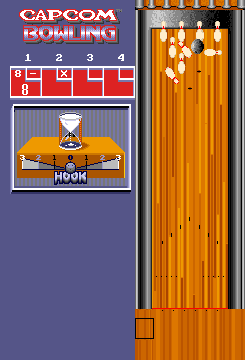
Capcom Bowling (set 1)
First released in arcades worldwide in 1988 by iconic Japanese developer Capcom, Capcom Bowling (set 1) is the original, unmodified launch version of one of the most beloved casual sports arcade titles of the late 1980s. Unlike hyper-realistic bowling simulators that emerged in later decades, Capcom Bowling leaned into whimsical, cartoonish presentation and accessible gameplay that appealed to players of all ages and skill levels. The game supports up to four local players taking turns across 10 standard bowling frames, with over-the-top reaction animations for every play: throw a strike, and your chosen character will jump for joy with confetti popping across the screen; miss an easy spare, and you’ll get a silly frustrated animation that made the game a staple of friendly arcade competitions for decades. The original arcade cabinet used a trackball controller to let players adjust their throw direction, power, and spin with physical, intuitive movements, and set 1 retains all the ori

The emulator loads after you press Start Game.
How to Play Capcom Bowling (set 1)
Save & Load States
- F2Press F2 to save your current game state at any time.
- F4Press F4 to load your last saved state.
- F3Use F3 to switch between save slots.
Save states are stored locally in your browser. They persist across sessions but are cleared if you clear browser data.
Customize Controls
Click the gear icon on the emulator toolbar → "Controls" to remap keys.
Default layout for ARCADE. Remap in emulator settings.
About Capcom Bowling (set 1)
Capcom Bowling (set 1) is a classic ARCADE game you can play online for free in your browser. No download or installation is required — click "Play Now" to start instantly. Relive the experience of vintage console gaming with authentic gameplay, right in your browser on any device.
This title is part of the PLAYERETRO game collection, which features over 1000 classic titles across multiple systems. Use the keyboard controls shown above to move and interact. Save your progress with save states and enjoy Capcom Bowling (set 1) anytime, anywhere.
Play the original 1988 Capcom Bowling (set 1) arcade game for free on PLAYERETRO. Experience classic 80s bowling gameplay, cartoonish animations, and up to 4-player competitive modes directly in your