
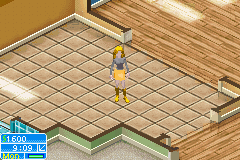
Sims 2 The - Pets (Europe) (EnFrDeEsItNl)
The Sims 2: Pets, the European multi-language release for Game Boy Advance (GBA), launched in 2006, published by Electronic Arts as a handheld adaptation of the popular PC expansion of the same name. Built exclusively for GBA’s portable hardware, this version reimagines the Sims franchise with a pet-focused core gameplay loop tailored for on-the-go play. Unlike the open-world PC release, this GBA iteration condenses the classic Sims life simulation experience into bite-sized, accessible sessions that fit handheld play. Players start by creating their custom Sim, moving into a new neighborhood, and building their dream home before adopting their first pet. You can choose from dozens of dog and cat breeds, each with unique personalities and care needs, plus unlock rare exotic pets as you progress through the game. Core activities include training your pet, keeping them fed, clean, and happy, completing neighborhood quests for local Sims, and entering pet contests to win exclusive prizes

The emulator loads after you press Start Game.
How to Play Sims 2 The - Pets (Europe) (EnFrDeEsItNl)
Save & Load States
- F2Press F2 to save your current game state at any time.
- F4Press F4 to load your last saved state.
- F3Use F3 to switch between save slots.
Save states are stored locally in your browser. They persist across sessions but are cleared if you clear browser data.
Customize Controls
Click the gear icon on the emulator toolbar → "Controls" to remap keys.
Default layout for GBA. Remap in emulator settings.
About Sims 2 The - Pets (Europe) (EnFrDeEsItNl)
Sims 2 The - Pets (Europe) (EnFrDeEsItNl) is a classic GBA game you can play online for free in your browser. No download or installation is required — click "Play Now" to start instantly. Relive the experience of vintage console gaming with authentic gameplay, right in your browser on any device.
This title is part of the PLAYERETRO game collection, which features over 1000 classic titles across multiple systems. Use the keyboard controls shown above to move and interact. Save your progress with save states and enjoy Sims 2 The - Pets (Europe) (EnFrDeEsItNl) anytime, anywhere.
Play The Sims 2: Pets (Europe Multi-Language) for GBA online for free at PLAYERETRO. This 2006 life simulation game from Electronic Arts brings pet-focused Sims gameplay to handheld, with full support