
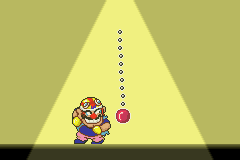
Made in Wario (Japan)
Released in 2003 exclusively for the Game Boy Advance (GBA) by Nintendo, Made in Wario (Japan) is the original Japanese launch version of the title that founded the globally beloved WarioWare franchise. This inventive, fast-paced game redefined casual handheld gaming with its groundbreaking microgame concept, where players work through a rapid succession of 5 to 10 second bite-sized challenges, all tied to Wario’s silly goal of building and selling his own video games to earn a quick fortune. Unlike the later international release WarioWare, Inc.: Mega Microgame$!, this Japanese version includes subtle localization, text, and tiny content differences exclusive to its original domestic market, making it a must-play for retro GBA collectors and diehard Wario franchise fans. The game leans hard into Wario’s signature over-the-top, playful crude humor, with wildly varied microgames ranging from slicing falling sushi, pressing buttons to dodge falling objects, and swatting flies to solving

The emulator loads after you press Start Game.
How to Play Made in Wario (Japan)
Save & Load States
- F2Press F2 to save your current game state at any time.
- F4Press F4 to load your last saved state.
- F3Use F3 to switch between save slots.
Save states are stored locally in your browser. They persist across sessions but are cleared if you clear browser data.
Customize Controls
Click the gear icon on the emulator toolbar → "Controls" to remap keys.
Default layout for GBA. Remap in emulator settings.
About Made in Wario (Japan)
Made in Wario (Japan) is a classic GBA game you can play online for free in your browser. No download or installation is required — click "Play Now" to start instantly. Relive the experience of vintage console gaming with authentic gameplay, right in your browser on any device.
This title is part of the PLAYERETRO game collection, which features over 1000 classic titles across multiple systems. Use the keyboard controls shown above to move and interact. Save your progress with save states and enjoy Made in Wario (Japan) anytime, anywhere.
Play the original 2003 Nintendo release of Made in Wario (Japan) for GBA online for free on PLAYERETRO. Experience the revolutionary microgame concept that launched the iconic WarioWare franchise, wit